
Getting Paid to Test Websites: A Plain Guide to UserTesting
Companies want to know if their websites and apps are easy to use. One way they find out is by paying everyday people to try them and say what they think out loud. UserTesting is one of the best-known sites that arranges this kind of work, and you don’t need any special skills to apply.
What the work looks like
UserTesting describes three kinds of tasks:
- Surveys: you answer questions, with no screen or voice recording.
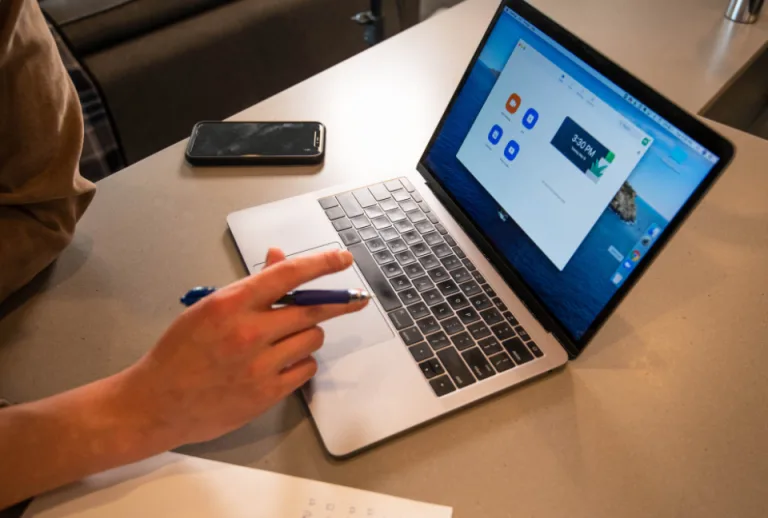
- Recorded tests: you follow a few steps on a website or app while talking through what you notice. Your screen and voice are recorded, and sometimes your camera too.
- Live conversations: a video call with a company’s team at a set time.
Talking out loud feels odd at first. Just say what you would say to a friend sitting beside you: “I’m not sure where to click here.” Honest, plain comments are exactly what companies want.
What it pays
A UserTesting help article (as of July 2026) lists standard amounts of $4 for a short 5–7 minute test and $10 for a 15–20 minute test. Live conversations pay more: $30 for 30 minutes, up to $120 for two hours. Payment goes to your PayPal account, usually about 14 days after a test is finished.
Pay varies by test type, length and customer demand, and your dashboard shows the exact amount for each test. Nobody can promise how many tests you will be offered, since companies often look for particular ages, devices or interests. As a rough estimate, a few $10 tests in a month could help toward a $15 streaming plan, but results vary a lot.
How to apply, step by step
- Make sure you have a computer or phone with a working microphone, plus a PayPal account (that is how you get paid).
- On a computer, go to UserTesting’s “Get paid to test” page and enter your email. On a phone, download the UserTesting app first.
- Create your account with your name, ZIP code and PayPal email address.
- Complete the checklist and the short practice test, about 7–10 minutes. A tutorial walks you through it.
- Wait a few days for review. You will hear back by email.
The whole sign-up takes roughly 15–20 minutes, and UserTesting’s page lists no fee to join.
Stay safe
Real testing sites pay you; they never ask you to pay them. The Federal Trade Commission warns that “jobs” asking for fees, gift cards, or for you to deposit a check and send money back are scams. Never share bank logins or your Social Security number with someone who contacts you out of the blue about testing work.
A word on taxes and benefits
Side income is taxable even if you never get a tax form for it, according to the IRS. If you are under full retirement age and getting Social Security, earnings can affect your benefits, and income can also matter for SSI, Medicaid or housing help. This is general information only, so check your own situation with Social Security or a tax professional.
More on Replace a Bill
- Step 4: Understand the Taxes on Side Income
- Step 1: List Your Monthly Bills and Pick the First One to Replace
Sources
- UserTesting: Get paid to test – application process
- UserTesting Help Center: Custom Network contributor compensation
- UserTesting: Get paid to test
- Finder: How to earn money with user testing
- FTC Consumer Advice: Job scams
- IRS: Gig economy tax center
- Social Security Administration: Receiving benefits while working